
The Slot Machine Problem
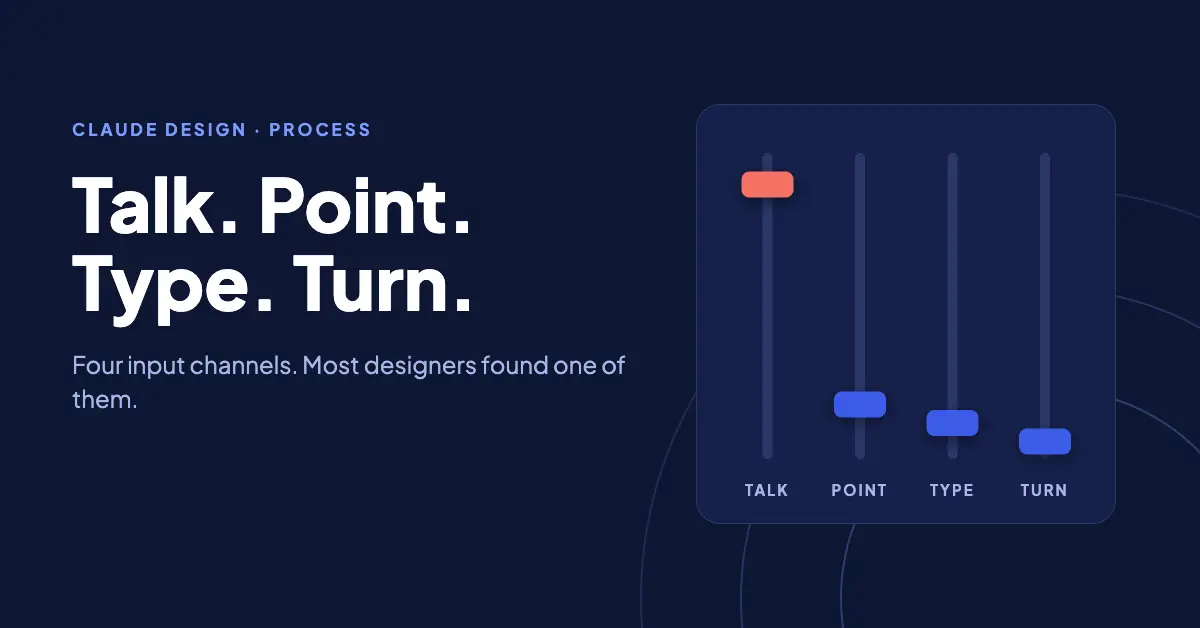
Claude Design shipped in April 2026 with four separate ways to change a design on the canvas: chat, inline comments, direct text editing, and adjustment sliders Claude builds on demand. All four are in Anthropic’s launch announcement. Open a new session and the cursor lands in one of them, and that is the one that ends up doing all the work.
The chat box. Describe the change, wait for the regeneration, judge the result, describe the change again. This is the slot machine workflow: write a prompt, pull the lever, see what comes up, pull again. A slot machine has one input, and every pull re-rolls the entire screen. A mixing board has a fader per channel; you move the one fader carrying the problem and the rest of the mix stays put. Claude Design ships the mixing board. Habit walks up and asks where the lever is.
The stakes here are not subtle. Iteration speed is the entire reason an AI design tool earns a place in your workflow. If every element-level tweak routes through a written paragraph and a full regeneration, the tool is iterating slower than Figma with less control, and the faster loop is sitting one channel away.
The Four Channels
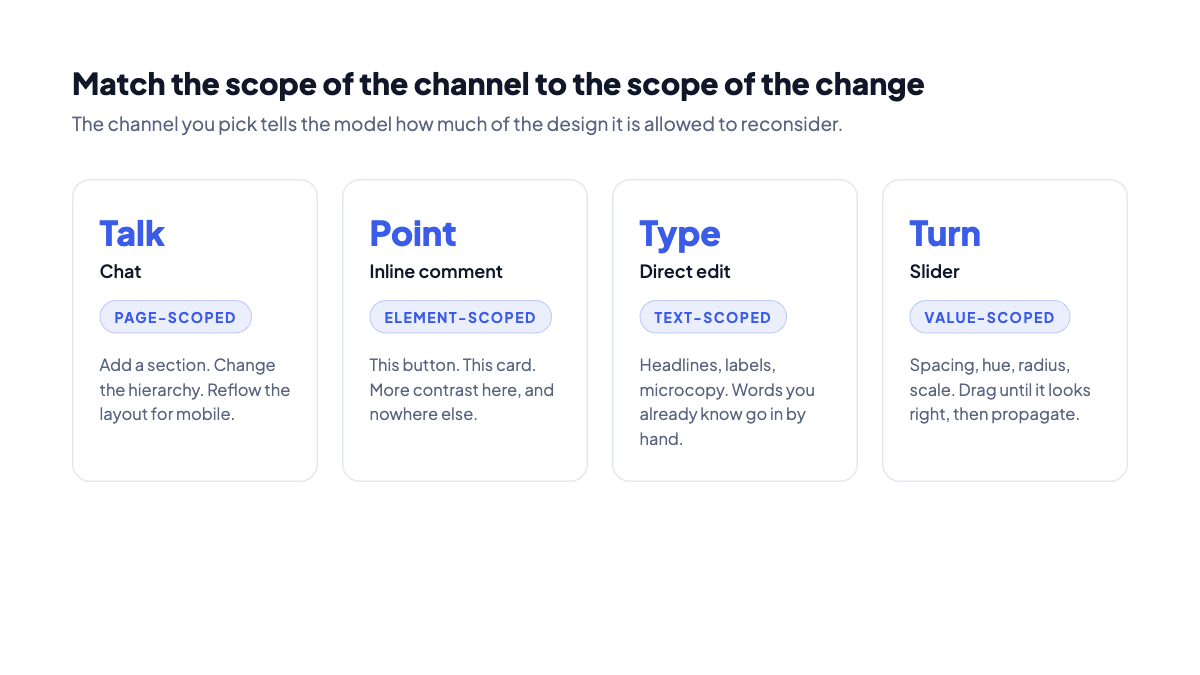
Each channel has a scope. Scope is the thing to pay attention to, because it determines how much of your design the model considers fair game when it responds.
- Chat is page-scoped. A chat message addresses the whole design. That makes it the right channel for structure: add a section, change the hierarchy, reflow the layout for mobile. It also makes it the wrong channel for one misaligned button, because you have invited the model to reconsider the page to fix the button.
- Inline comments are element-scoped. You pin the comment to the element, the way you would drop a sticky note on one region of a whiteboard instead of describing the whiteboard over the phone. The pin carries the location, so your words only have to carry the intent.
- Direct editing is text-scoped. Click the headline, type the new headline. There is no reason to ask a model to guess at words you already know. Typing them is faster than describing them, and the result is exact.
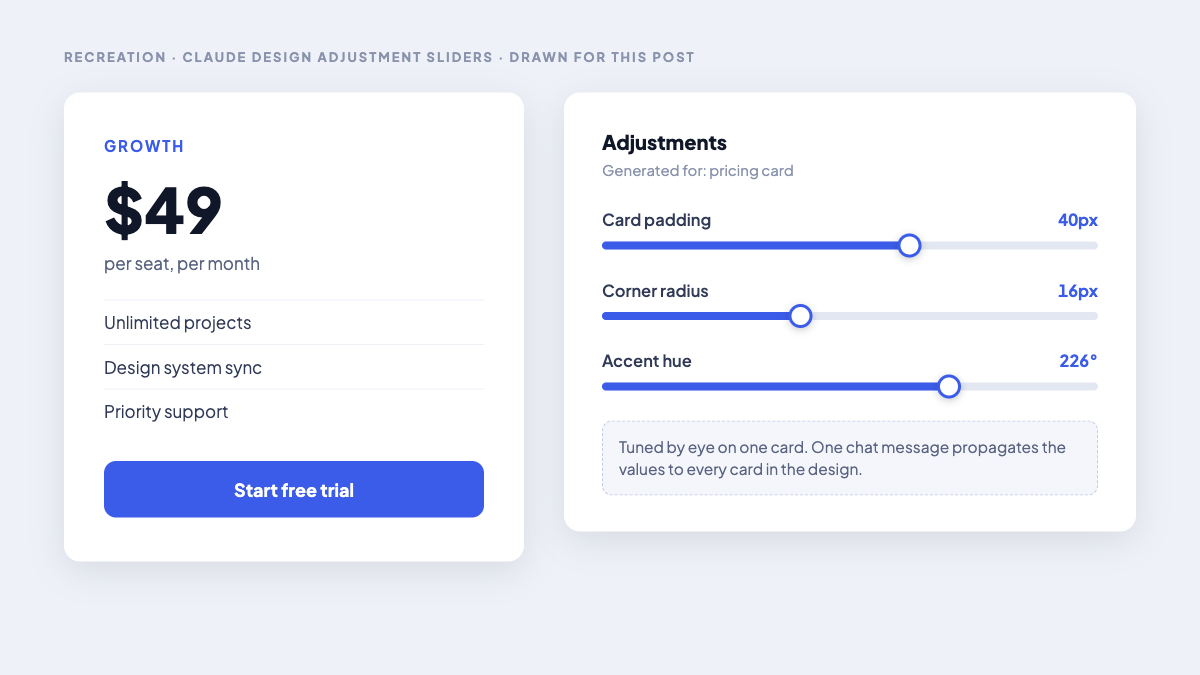
- Sliders are value-scoped. Ask Claude for a control and it generates one: card padding, corner radius, accent hue, type scale. You drag until it looks right. This is the channel for taste, the changes you feel before you have a number for them.
Talk, Point, Type, Turn
Here is how I route changes. Four verbs, one per channel.
- Talk for structure. New sections, reordered hierarchy, layout changes, anything where the model needs permission to move multiple elements. Chat is the only channel wide enough for this, which is exactly why it is wrong for everything below.
- Point for elements. One button, one card, one image. Pin an inline comment to the thing itself. Location travels with the pin, so a comment reading “more contrast here” lands precisely where a chat message reading “more contrast on the second card in the pricing row” lands approximately.
- Type for words. Headlines, labels, microcopy. Direct edit, every time. The model is a collaborator on layout and a middleman on copy you have already written.
- Turn for taste. Spacing, color, radius, scale. Ask for a slider and drag it. “A little more breathing room” is not a sentence. It is a slider position.
The Slider Is a Design Token You Tune by Hand
The sliders deserve more attention than they get, because they are doing something design tools have never done. When Claude generates a padding slider for the card you are staring at, it has effectively exposed a design token with a physical control attached. You are not describing a value. You are tuning it live, with the render updating as you drag.
The move that makes this compound: tune the value on one element, then ask Claude to propagate it. Set the card padding by feel, then one chat message applies it across every card in the design. That is a token update, not a local patch. You calibrated by eye on one component and shipped the decision system-wide.
Where the Chat-Only Session Breaks Down
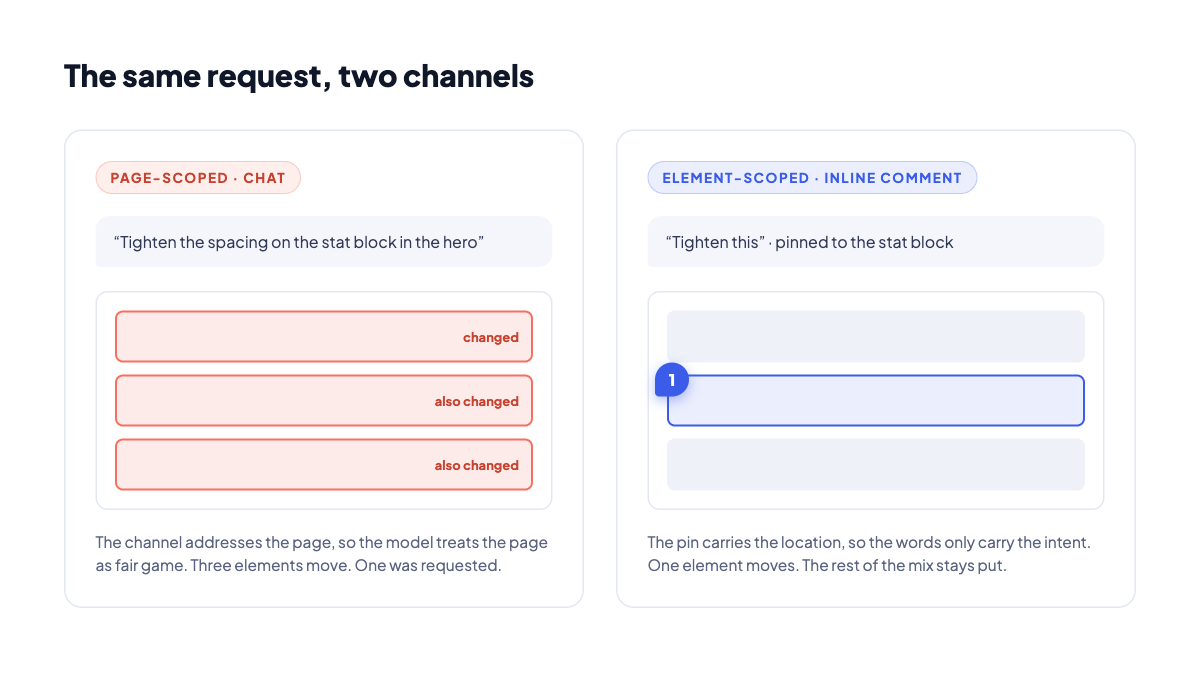
The failure mode is easy to reproduce, and worth walking through once so you recognize it early. Take a design with one stat block that needs tighter spacing, and run the fix through chat, because chat is where the cursor starts.
The model fixes the stat block and adjusts the two sections beside it, because a page-scoped channel handed it the whole page. The next message undoes the side effects, which produces new side effects. Three rounds in, the session feels like it is fighting you, and the tool takes the blame.
The root cause is not model quality. It is channel selection. Element-scoped requests pushed through the page-scoped channel, and the tool blamed for hearing the request at the scope it was given. One pinned comment on the stat block carries the constraint the sentences keep dropping.
The Channel Rule
Match the scope of the channel to the scope of the change.
That is the whole rule. An element-scoped request through a page-scoped channel is an invitation for the model to consider everything, and it accepted your invitation, politely, every time. The reverse failure exists too: nobody restructures a page through forty inline comments. When a session feels like it is fighting you, check the scope mismatch before you check the prompt.
This is the same discipline we already apply to human collaboration. You do not redline a comma in a kickoff meeting, and you do not restructure the information architecture in a margin note. The channels were always scoped. Claude Design made the scoping literal.
Where the Output Goes Next
The refinement loop matters because of what sits on the far end of it. Claude Design exports to Canva, PDF, PPTX, and standalone HTML, and it packages a handoff bundle with design specifications for Claude Code, per Anthropic’s announcement. A design you refined through the right channels arrives at implementation with the decisions already encoded.
The tool is in research preview and the rough edges are real. The four channels reward skills designers already have: knowing structure from taste, knowing where a comment belongs, and knowing when to tune a value by hand.