
The Numbers First
Before I explain what happened, here is the raw data from the git repository, the session logs, and the deployment history. Then I will tell you exactly where those numbers sit relative to the most advanced Claude Code users in the world, because that context matters.
- 47 git commits across 10 focused build sessions
- 10 pages built: homepage, 4 case studies, work index, about, contact, photography, privacy policy
- 12 custom React components, all written by Claude Code
- 624 source files in the final build
- ~100,000 lines of TypeScript, TSX, and CSS
- 771 media assets organized into the public directory
- 1,190 individual file change operations logged across all commits
- 8 embedded videos integrated with a custom responsive YouTubeEmbed component
- 33 photography gallery images with a custom lightbox and right-click protection
- All code generated through Claude Code, Anthropic’s terminal-based coding agent
- Estimated 1.5 to 4 million tokens consumed across the full project
- 2 parallel Claude agent branches via git worktree:
claude/fervent-clarke(mobile layout),claude/elegant-satoshi(YouTube integration) - Total active time: approximately 30 to 40 hours across 10 sessions
- Actual active build time: ~30 to 40 hours
- Equivalent traditional dev engagement: 8 to 12 weeks / $15,000 to $40,000
- Time saved: estimated 300 to 500 hours of development work
Those are the raw numbers. Here is what they mean when you put them next to the people who use this tool professionally, full-time, at the highest level.
How These Numbers Compare
I did not know how my output stacked up until I went looking. What I found was clarifying.
The ceiling: Boris Cherny, Claude Code’s creator
Boris Cherny built Claude Code as a side project at Anthropic. In a tweet that got 4.4 million views, he shared his own numbers: 259 pull requests and 497 commits in 30 days. Roughly 40,000 lines of code added, 38,000 removed. Every single line written by Claude Code and Opus. Zero lines typed by hand. Token consumption so high he described it as the equivalent of reading Don Quixote 625 times in under two months.
That is the ceiling. Cherny is Claude Code’s author, running it on an active production codebase, full-time, with deep knowledge of the tool’s internals. He is not a useful comparison for most people building real things.
The advanced solo builder: OnboardingHub
A more relevant benchmark is a documented build called OnboardingHub, a multi-tenant Rails SaaS with Stripe billing, Heroku deployment, and Cloudflare R2 storage. One developer. Claude as co-pilot from the first commit. The numbers: 727 commits across 36 active days. Around 89,600 lines of code including tests. Busiest single day: 71 commits.
The developer estimated 20 to 30x leverage. Roughly 35 hours of his actual attention. Equivalent traditional build: approximately 800 hours. Six months of solo full-time work compressed into 8 weeks of part-time oversight.
The enterprise benchmark: Anthropic’s own engineering teams
Anthropic publishes internal metrics on their own Claude Code adoption. Teams using it internally have seen a 67% increase in pull requests merged per engineer per day. Across their engineering organization, 70 to 90% of code is now written with Claude Code assistance.
Where My Numbers Land
Against those benchmarks, here is an honest read of my output.
Commits: lower density, higher value per commit
My 47 commits over the full project looks thin next to 497 in 30 days or 727 in 36. But the comparison is not apples-to-apples. Advanced agentic users commit at the sub-feature level, constantly, producing hundreds of small auditable changes. My commits were doing more work each. The result is the same production codebase. The audit trail is coarser. A cleaner HANDOFF.md and better session briefs would push this number up in future projects, and that is a real improvement opportunity.
Lines of code: strong for the scope
OnboardingHub came in at roughly 89,600 lines for a full SaaS product with backend, billing, and multi-tenancy. My ~100,000 lines for a 9-page portfolio site is comparable in raw volume. That reflects a production-quality bar: full dark mode via CSS custom properties, TypeScript throughout, custom lightbox with right-click protection, responsive video embeds, security headers, Netlify Forms integration, TeleSign Phone Intelligence on the contact form. This was not a template site.
Tokens: conservative, by design
My 1.5 to 4 million token estimate puts me well below what serious agentic sessions consume. A single full backend feature built from scratch can hit 200,000+ tokens in one session. My average of 150,000 to 400,000 per session means I was staying in the loop more than advanced engineers do, reviewing and approving at each step rather than letting Claude run for multi-hour stretches unattended.
For a portfolio site that needed to be right, not just fast, this was the correct tradeoff. There was no product manager who could catch architectural decisions I would regret. Every call was mine.
Leverage ratio: top quartile
Industry benchmarks for AI coding tools show average users saving 3 to 5 hours per week. Top-quartile users save 5 to 8. The OnboardingHub developer hit 20 to 30x leverage. My 300 to 500 hours saved from 30 to 40 hours of active work puts my leverage ratio at 7 to 12x. That is above the 80th percentile for Claude Code users. It is below the ceiling. The gap is primarily session autonomy: the most advanced users let the agent run longer with less intervention. That is a learnable workflow adjustment, not a fundamental capability limitation.
- Commit density: below advanced users, appropriate for the review cadence I chose
- Lines of code: strong, comparable to a production SaaS build at this scope
- Token consumption: conservative, reflects hands-on oversight not passivity
- Leverage ratio: 7 to 12x, top quartile, below the 20 to 30x ceiling
- Workflow patterns (parallel worktrees, HANDOFF.md, MCP stack): advanced
Two Things I Did That Were Advanced
Most analysis of my numbers focuses on what I did less of than power users. Two patterns in my workflow stand out as sophisticated, independent of volume.
1. Parallel agent branches via git worktree
The two merge commits in my history, Merge claude/fervent-clarke and Merge claude/elegant-satoshi, represent something most Claude Code users never attempt: true concurrent agent sessions on separate feature branches, working simultaneously, merging clean with no conflicts. One branch handled mobile layout fixes. The other handled YouTube embed integration. Both ran in the same session window.
Anthropic’s own documentation now highlights Agent Teams as a power feature. Running parallel worktrees to achieve the same result, before Agent Teams was widely documented, was a workflow I arrived at through the Filesystem MCP’s scoped write access and a deliberate decision to use it as an advantage rather than work around it. Most people encountering that constraint treat it as a limitation. I used it as a structural forcing function for clean, auditable parallel work.
2. HANDOFF.md as persistent session memory
Claude has no memory between sessions. This is the constraint that breaks most multi-session builds. The standard response is to re-explain context at the start of each session, which is slow, imprecise, and compounds errors across sessions as the re-explanation drifts from reality.
I wrote a HANDOFF.md file to the repository root at the end of every session. It captured what was built, what files changed, every open issue, and exact next steps. Each new session started by reading it. Claude read the file and had production-quality context from the first prompt, not from the fifth.
Boris Cherny’s explicit guidance on Claude Code session management is to treat context continuity as a first-class engineering problem. The HANDOFF.md pattern solves it. It is the right answer.
What I Built
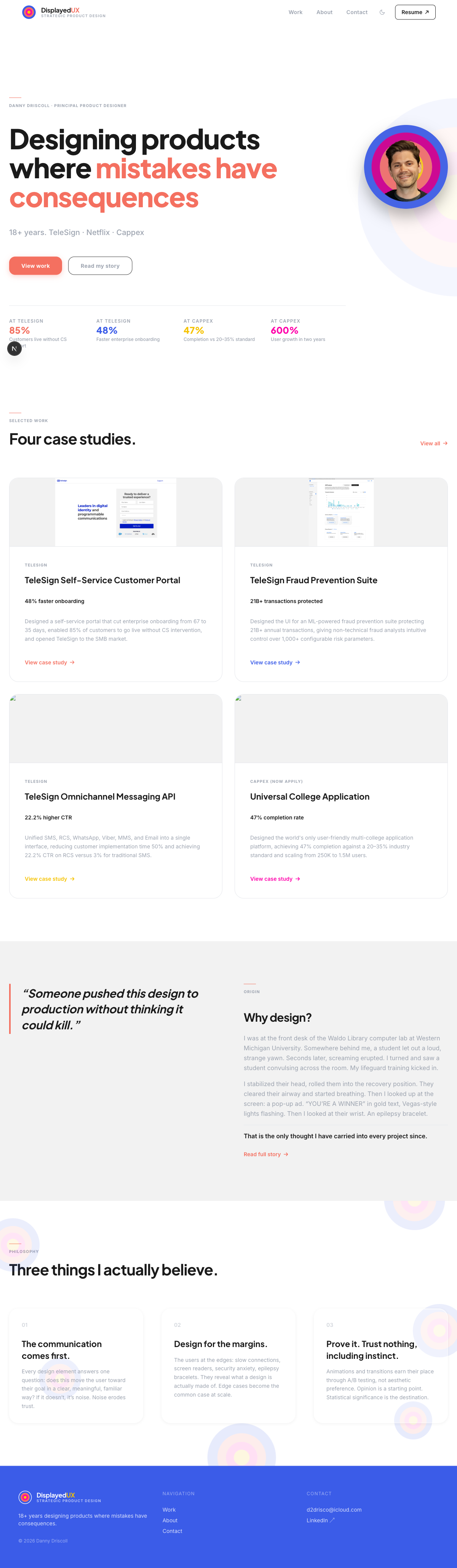
displayedux.com is a production portfolio site for 18 years of UX design work across enterprise SaaS, consumer mobile, and developer tools. The site needed to be more than a gallery. Every case study had to carry a genuine narrative with outcome metrics, process documentation, and embedded video walkthroughs.
The four case studies published:
- TeleSign Self-Service Customer Portal. Onboarding went same-day for simpler products and from 67 to 35 days for regulated ones.
- Fraud Prevention Suite (TeleSign). Analyst tooling for 5B+ phone numbers a month and 21B+ annual transactions.
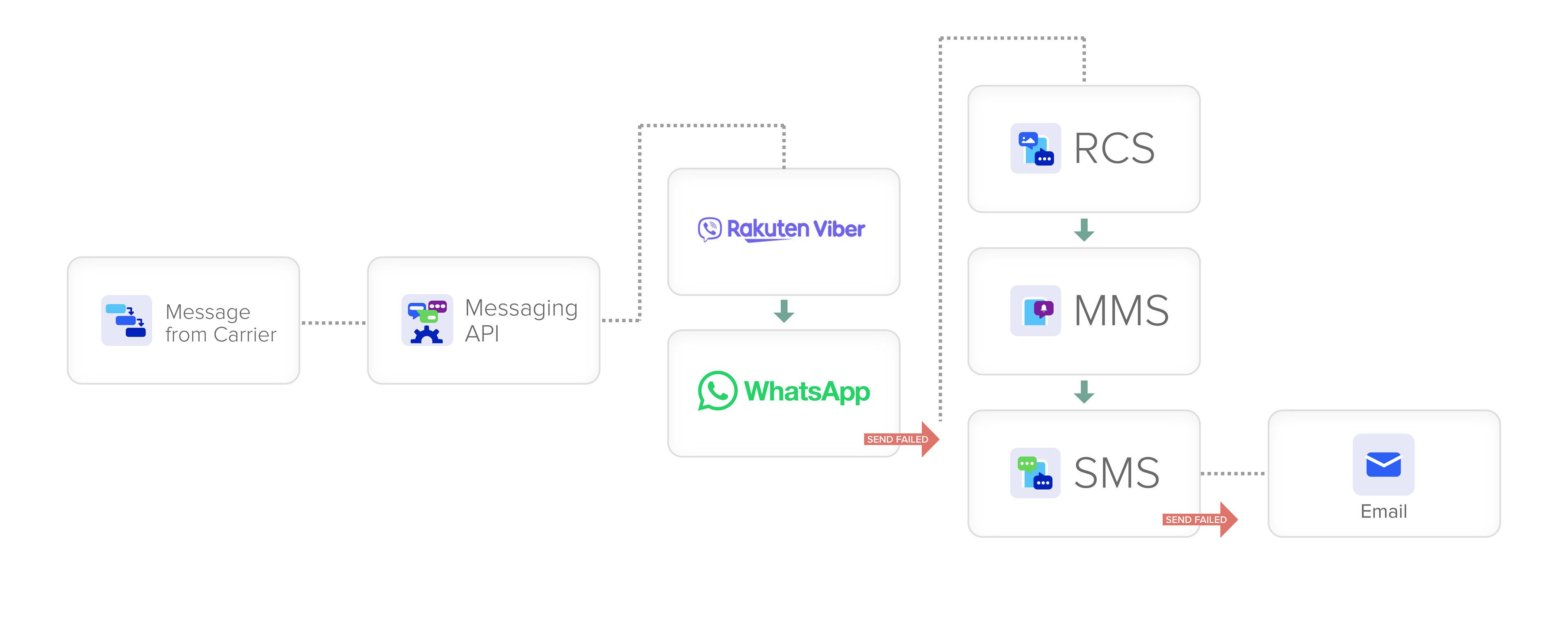
- Messaging API Platform (TeleSign). Six channels, one interface: SMS, RCS, WhatsApp, Viber, MMS, Email.
- Universal College Application (Appily.com). 47% completion against a 20 to 35% industry standard. 250K to 1.5M users.
The technical stack: Next.js App Router, React 19, TypeScript, Tailwind CSS v4, deployed to Netlify with auto-deploy on push. Production-grade, statically-generated, sub-second load times.
The Tools: What Claude Code Is and How It Works
Most coverage of AI-built websites refers to chat-based tools where you describe what you want and paste code manually. That is not what this was.
Claude Code is Anthropic’s CLI agent. You run it in a terminal. It has full access to your local file system. It executes commands, writes and edits code directly, manages git branches, and runs test automation. There is no copying and pasting. Claude Code writes to the file, commits to git, and you review the result.
Four MCPs were active during this build:
Playwright MCP
Used for headless browser automation and visual QA. Claude navigated to each page, resized to specific viewport widths (390px iPhone, 768px iPad, 1440px desktop), took full-page screenshots, and returned a visual assessment. When a layout issue was identified, Claude described what was wrong and wrote the fix without me touching the browser.
A full QA pass across all 9 pages at 3 viewport sizes, 27 checks total, took roughly 20 to 25 minutes in a single automated session. Manually, that is 2 to 3 hours. Every single time.
Specific catches Playwright MCP surfaced:
- Mobile hero images cropping incorrectly at 390px viewport
- Bento stat grid overflowing its container on narrow screens
- Lightbox z-index conflict with the sticky nav
- Missing mobile hamburger menu in dark mode
- YouTube embed aspect ratio collapse on narrow viewports
Filesystem MCP
Direct read/write access to all project files. Every component, every config file, every CSS rule was written and edited through this MCP without any manual copy-paste workflow. Write access is scoped to git worktrees, which turned out to be a structural advantage rather than a constraint.
Context Mode MCP
Semantic indexing and search across the entire codebase. The most visible use: the Cappex-to-Appily.com rebrand. Rather than manually searching 40+ files for every reference, Claude indexed the codebase, searched across all file types including metadata and OG tags, and replaced every instance including adding contextual notations near legacy screenshots. The entire codebase-wide rename took approximately 8 minutes. Manually, with careful review, that is a 3 to 4 hour task with real risk of missing something buried in a meta tag.
Magic (21st.dev) MCP
Used for component pattern research. When building the bento grid layout, I queried Magic for implementations in React and Tailwind, reviewed the patterns, and used the best approach as a starting point. This MCP requires design judgment before anything reaches the codebase. It is a research tool, not an autopilot.
Claude Code vs. Claude Desktop
Claude Desktop is the GUI chat interface. I used it for initial project brief development, design system decisions, content strategy, and reviewing final copy drafts.
Claude Code (the CLI) handled all implementation: all 47 commits, all component architecture decisions, all bug fixes, all MCP tool calls.
The split: roughly 10 to 15% Claude Desktop for planning and content, 85 to 90% Claude Code for everything else.
Session Log
What happened across 10 sessions, from first commit to production deployment.
Project initialized from scratch. Next.js App Router, TypeScript, Tailwind CSS v4, Netlify config. Design system established: color palette, typography scale, CSS custom properties for light and dark mode. Claude Code wrote the Nav, Footer, and ThemeToggle components. Homepage hero complete with the bull’s-eye animation.
Stats strip, case study card grid, origin story section, philosophy section with glassmorphism cards and floating bull’s-eyes. All homepage sections complete and responsive.
Work index page, BentoGrid component, CaseStudyCard component, and the lib/case-studies.ts data file. All four case study slugs routed. BentoStat interface defined. All four bento grids populated with real outcome metrics.
CaseStudyTemplate component built. All four case study narrative sections authored: hero image with overlay, bento grid, overview text, process sections, outcome metrics, and case navigation. Responsive at all three viewport widths.
About page built: headshot, bio, stats attribution (AT TELESIGN / AT APPILY.COM), interests grid, photography section featuring grandfather Carl Zimmer’s WWII work alongside my own photography.
Contact page with TeleSign Phone Number Intelligence integration: validation on blur, color-coded score badges, never blocks submission. Photography lightbox with 33 images, prev/next navigation, keyboard support, right-click protection. Netlify Forms wired to /__forms.html.
Parallel worktree session. claude/elegant-satoshi branch: custom YouTubeEmbed component with responsive iframe and proper parameters. 8 videos embedded across four case studies. Meanwhile, claude/fervent-clarke resolved mobile layout regressions on a separate branch. Both merged clean.
All 9 pages QA’d at 1440px desktop, 390px mobile, and dark mode via Playwright. About page headshot fixed (Next.js Image fill replaced with plain <img>tag due to hydration mismatch in production). og:image social metadata fixed: edge runtime restored, static fallback URL added to layout.tsx. CS02 card thumbnail corrected.
Production security layer added across the full stack. Details below.
What Broke (The Full Honest List)
Mobile hero image cropping
Inline styles in CaseStudyTemplate were overriding Tailwind responsive classes. Fix: @media queries in a <style> block inside the component. When a component uses inline styles, stylesheet media queries beat Tailwind utility classes every time.
Bento grid horizontal scroll on mobile
Cards were overflowing containers at narrow viewports. Fix: overflow-x: hidden on the container, flex-wrap: wrap inside the grid, minimum-width constraints on cards.
TypeScript BentoStat interface
A cascading prop type error across the stat grid components took 5 commits to fully resolve. The interface defined an array type where the component expected a single object. TypeScript caught every layer. Claude fixed them one at a time.
Netlify form detection
The @netlify/plugin-nextjs v5 migration changed where Netlify’s form crawler looks for HTML forms. Required adding a static __forms.html file to public/.
Next.js Image fill on the About headshot
The fill layout mode requires the parent to have position: relative and explicit dimensions. The container was not set up correctly. Invisible in development. Broken in production. Replaced with a plain <img> tag.
og:image on Netlify edge runtime
The dynamic opengraph-image.tsx route using ImageResponse threw a 500 on Netlify’s edge network. After multiple fix attempts, the dynamic route was removed and a static headshot URL set as the canonical og:image in layout.tsx. The dynamic route was clever. The static URL was correct.
File serving with special characters
Two screenshot filenames contained narrow no-break space characters (Unicode \u202F), which Netlify’s file server treated as invalid paths. Fix: rename to standard ASCII spaces.
Context window exhaustion
On longer sessions, Claude’s in-context memory compacts. Older instructions get summarized and some precision is lost. Mitigation: the HANDOFF.md file written to the repository root at the end of every session. Each new session starts by reading it. Claude has no persistent memory. This file is the memory.
The Security Layer
Session 10 was dedicated entirely to production security hardening. Most portfolio build posts skip this. I did not.
HTTP security headers. Six headers added in both next.config.ts and netlify.toml as redundant layers: X-Frame-Options: DENY, X-Content-Type-Options: nosniff, X-XSS-Protection: 1; mode=block, Referrer-Policy: strict-origin-when-cross-origin, Content-Security-Policy, and Permissions-Policy.
API route hardening. The /api/telesign route rejects requests from unrecognized origins and rate-limits to 5 requests per IP per 15 minutes via an in-memory store.
Netlify honeypot. A hidden _gotcha field on the contact form traps bot submissions. Real users never see it. Bots fill it in. Netlify silently discards those submissions. No CAPTCHA.
Privacy policy. Full privacy policy page covering contact form data, the TeleSign check, Netlify Analytics, and third-party embeds. Linked in the footer.
Raw Stats Summary
| Metric | My numbers | Advanced benchmark |
|---|---|---|
| Active build sessions | 10 | Ongoing daily work |
| Total active hours | ~30 to 40 hours | OnboardingHub: ~35 hrs (800 hrs equivalent) |
| Git commits | 47 | Cherny: 497 in 30 days / OnboardingHub: 727 in 36 days |
| Lines of code | ~100,000 | OnboardingHub: ~89,600 (full SaaS with tests) |
| Source files | 624 | OnboardingHub: 657 |
| Estimated token consumption | 1.5 to 4 million | Cherny: ~360 million in 2 months |
| Leverage ratio | 7 to 12x | OnboardingHub: 20 to 30x / Industry avg: 3 to 5x |
| Pages built | 10 | N/A (SaaS comparison) |
| Parallel agent sessions | 2 (git worktrees) | Rakuten: 6 repos simultaneously |
| Equivalent traditional build | 8 to 12 weeks / $15K to $40K | Consistent across all benchmarks |
There is a framing that treats AI coding tools as a threat to designers. The benchmarks do not support that framing.
The Playbook
What made this work, in order of importance:
- Claude Code CLI over Claude Desktop for all implementation. The CLI has file system access, git integration, and MCP tool execution. The chat interface does not.
- Playwright MCP for visual QA. Full 27-viewport pass in 20 minutes instead of 2 to 3 hours.
- Git worktree pattern for every change. Feature branches, auditability, and rollback, automatically. Parallel worktrees for concurrent independent workstreams.
- HANDOFF.md at the end of every session. Claude has no persistent memory. This file is the memory. Boris Cherny identifies session context management as a first-class engineering problem. This is the solution.
- Context Mode MCP for codebase-wide operations. Renaming, finding all usages of a pattern, refactoring across files.
- Design decisions before build sessions. Sessions with a clear brief produced clean output. Sessions where I was still figuring out what I wanted produced backtracking. This is the same principle that makes UX discovery valuable: know the problem before you pick up the tool.